1
What you do
Add your prices once
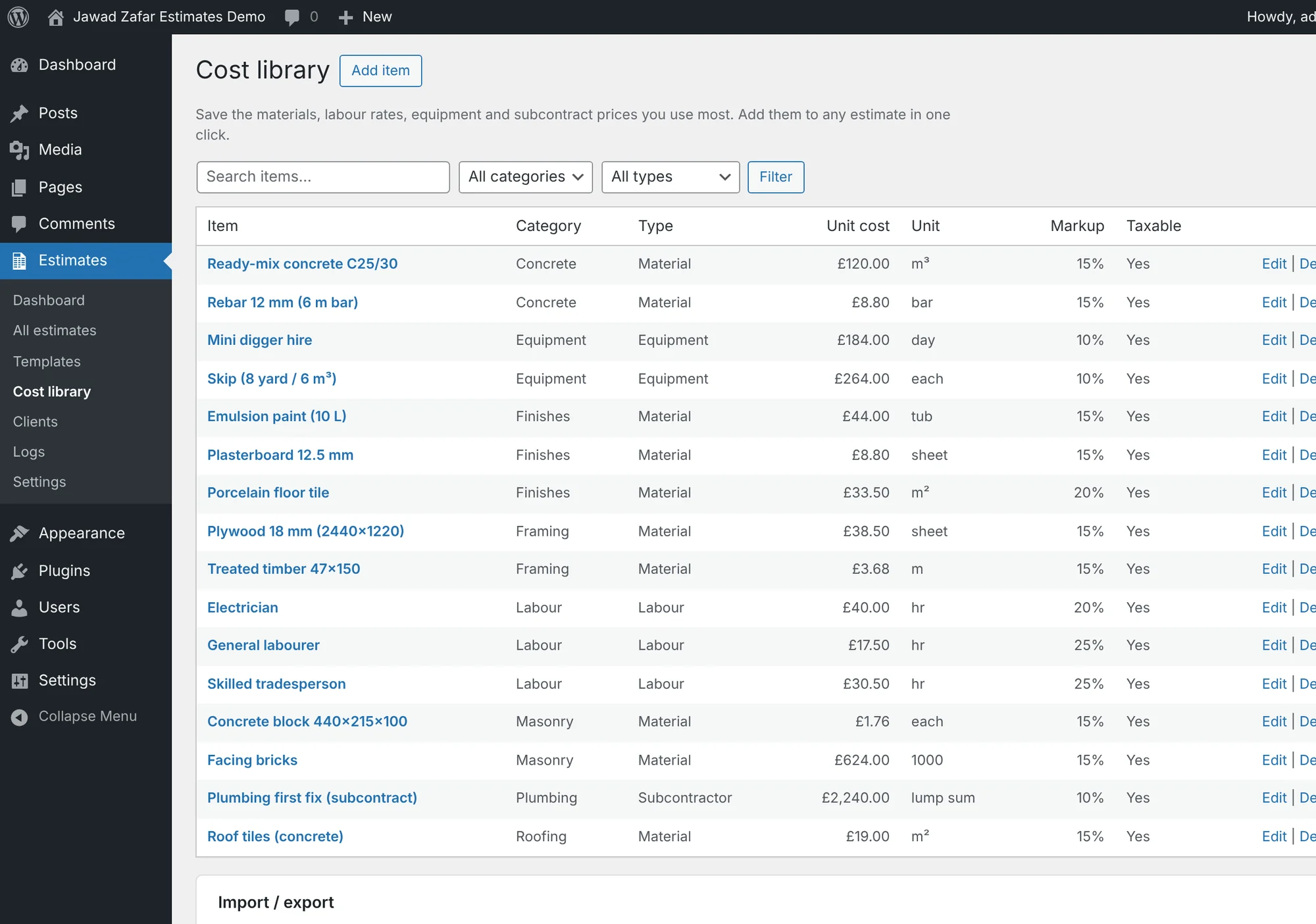
Save materials, labour, equipment and subcontract items with your cost and markup. Import a spreadsheet, or start from sample prices for your country.
Try it: Open the cost library →See exactly what you do, what your client sees, and what happens at every step. Every screen below is live in the demo: click "Try it" to open it.
Six steps from the first price to money in the bank. Blue is you, amber is your client.
Automatic reminders go out when a proposal isn't opened after a few days, and again before it expires. No more "did you get my quote?" calls.
Each proposal moves through clear statuses, so you always know who to chase.
Then your client decides:
Signed online and locked, so the price can't change. The deposit is due and payments are tracked by stage.
You see their comment, edit the estimate and send it again as version 2. Back to Sent.
You see their reason. Reopen or duplicate it any time to quote again.
Your prices live in one place, so every estimate starts from real numbers.
Save materials, labour, equipment and subcontract items with your cost and markup. Import a spreadsheet, or start from sample prices for your country.
Try it: Open the cost library →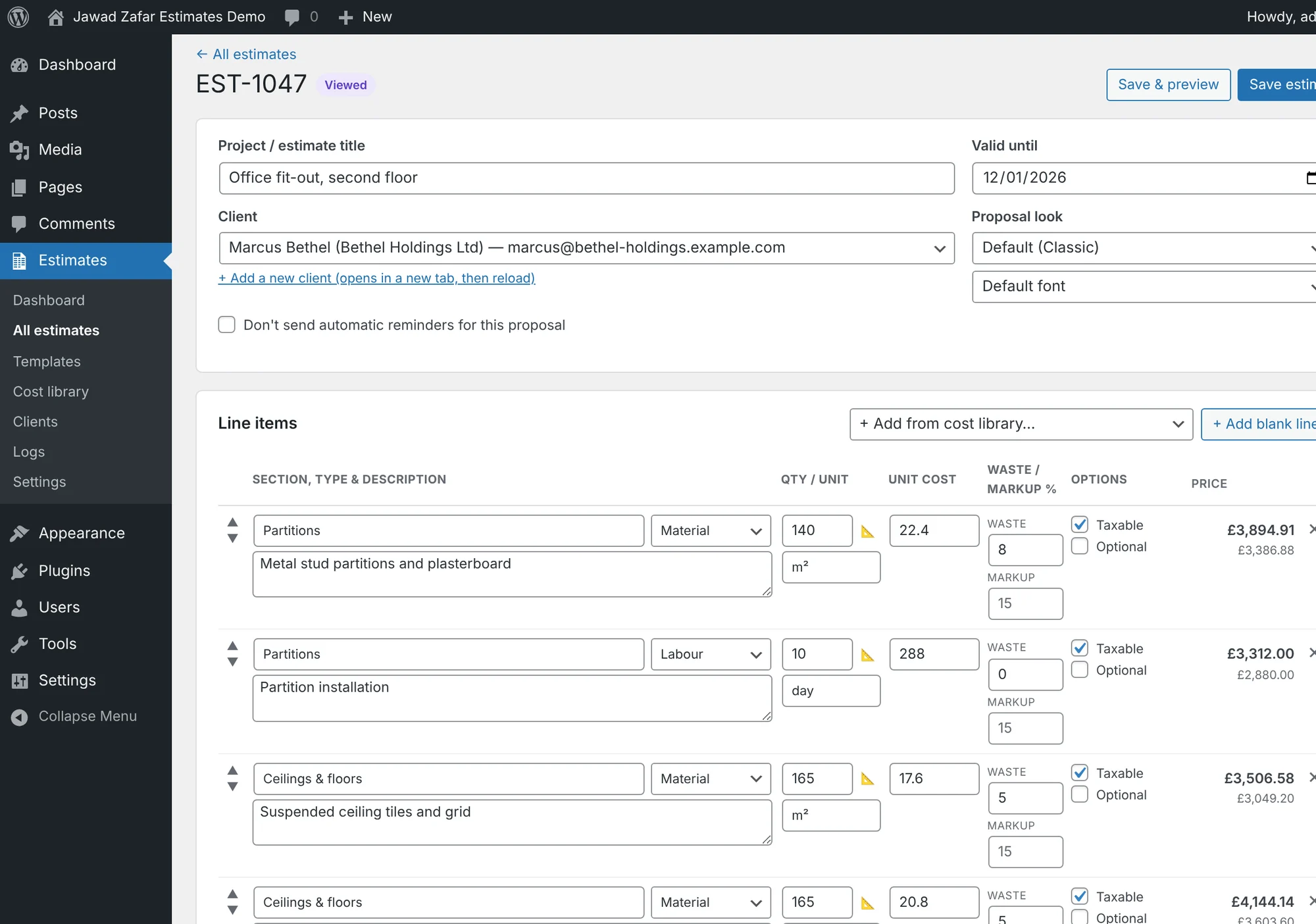
Pick items from the library or type a line. Quantity calculators work out areas, perimeters and concrete volume. Group lines into sections like Groundworks or Kitchen.
Try it: Open an estimate →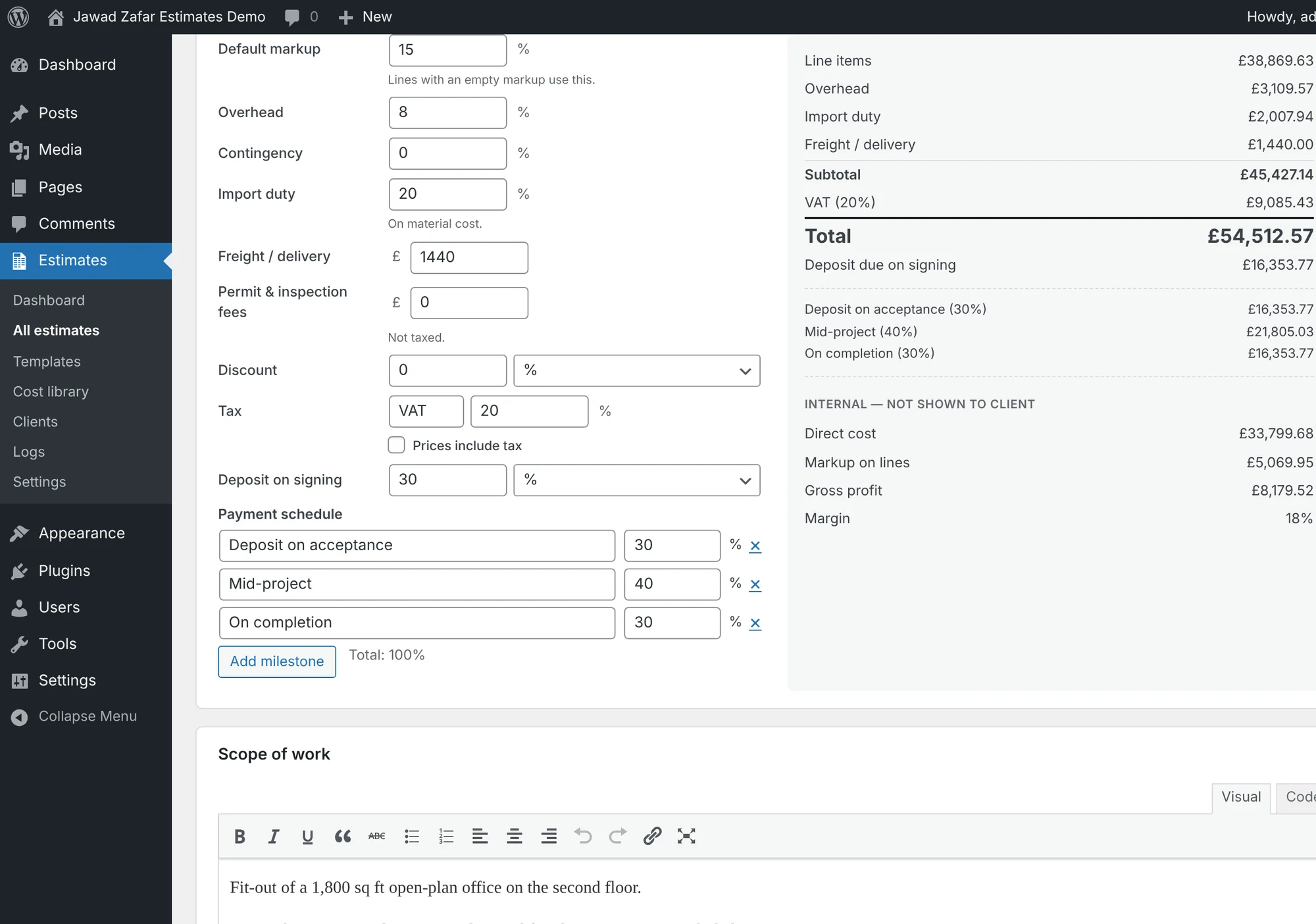
Waste, markup, overhead, contingency, discount, tax, import duty and freight are applied for you. Your direct cost, profit and margin stay private.
Try it: Change a price →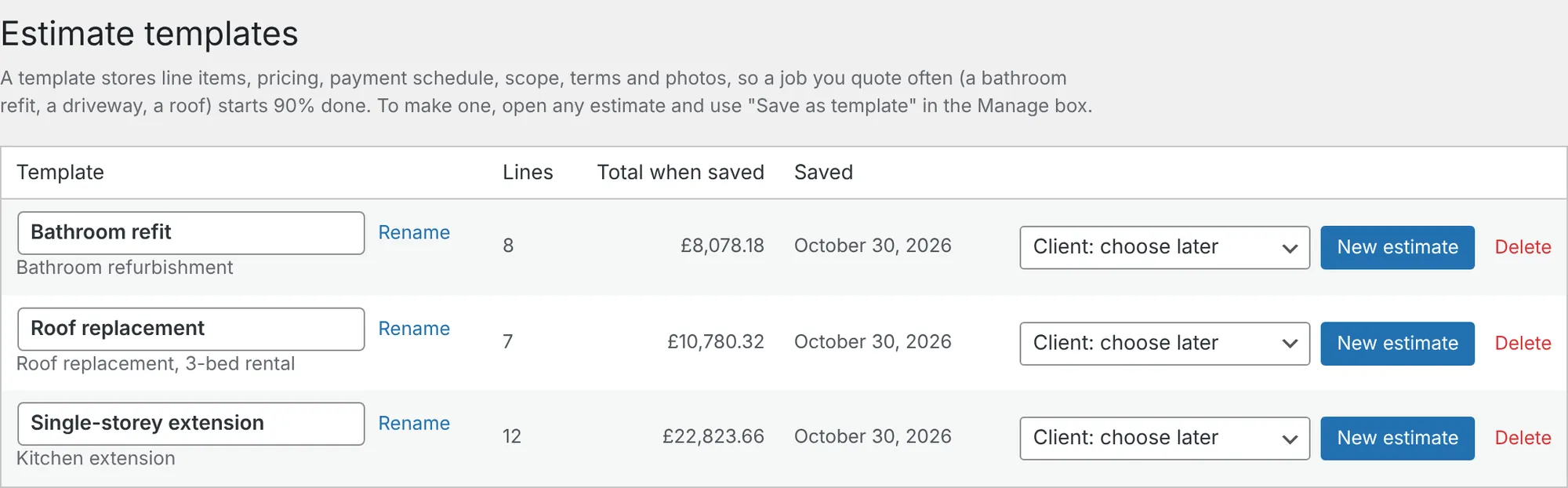
Save any estimate as a template. The bathroom refit you quote every week starts 90% done next time.
Try it: See templates →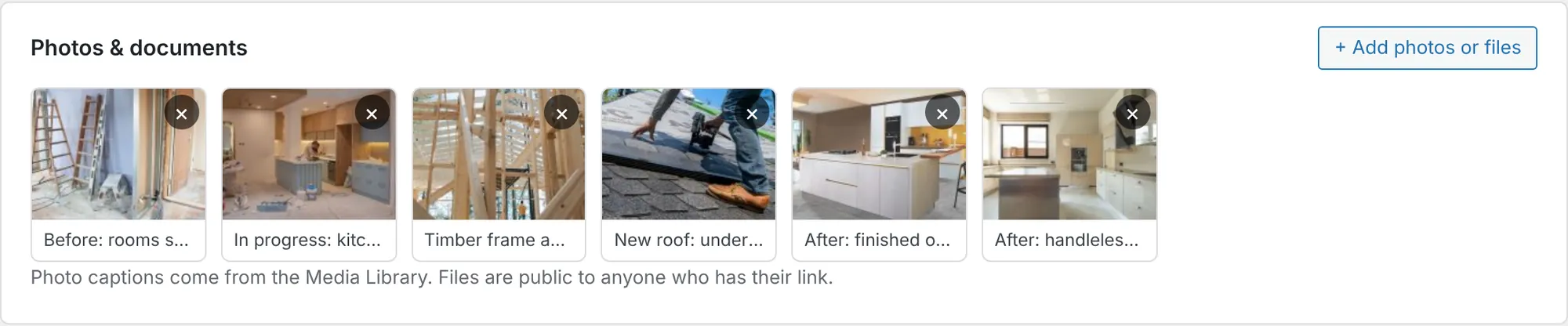
Attach site photos, drawings and product sheets. Clients see a gallery and a download list, and photos go into the PDF.
Try it: Add a photo →Your client gets a private link. No account, no app, works on any phone.
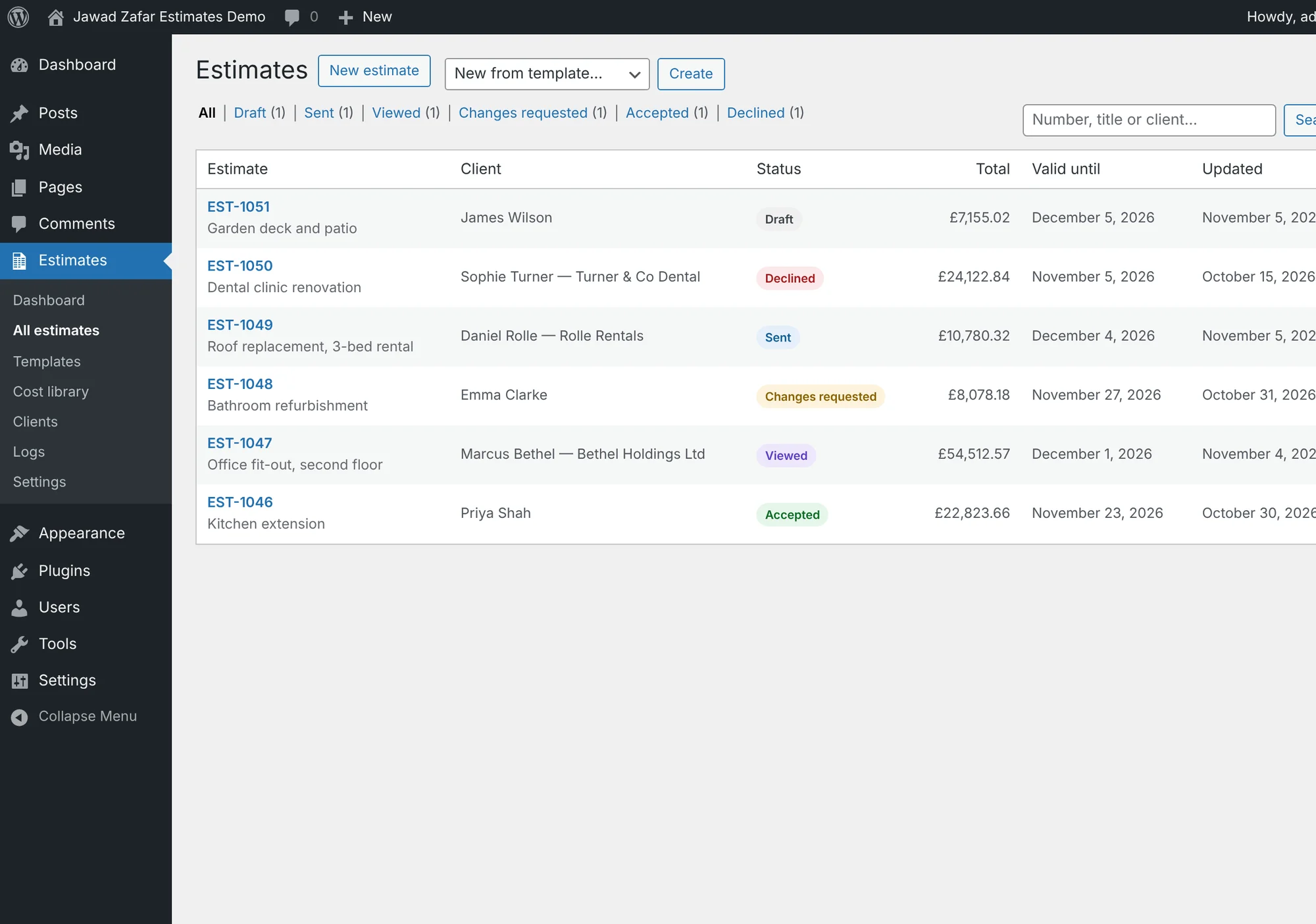
Email the proposal with a PDF attached, or share the link by WhatsApp. You see when it is sent, opened, signed, declined or sent back with changes.
Try it: See all estimates →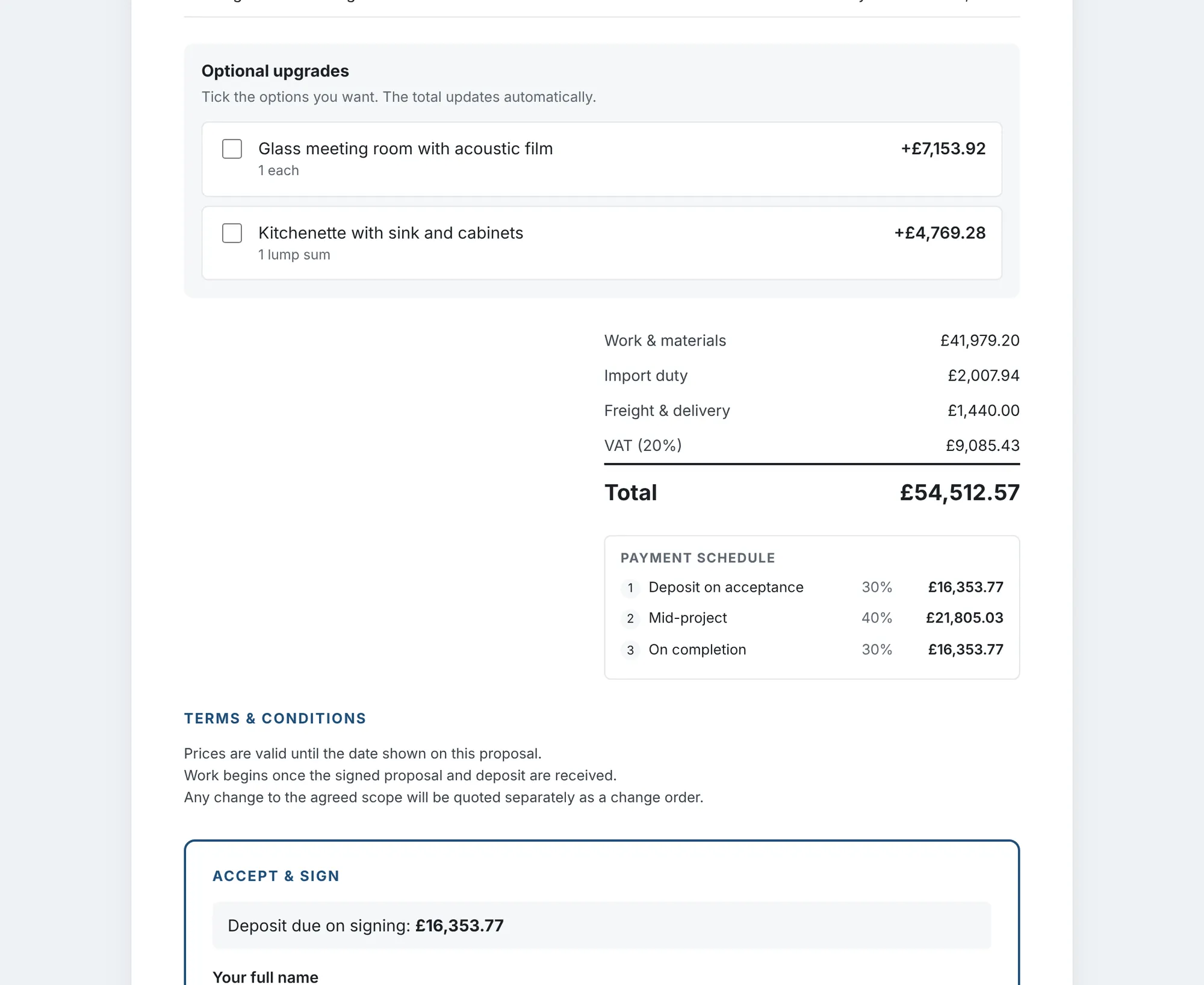
Optional extras appear as tick boxes. The total, deposit and payment schedule update instantly, which makes upselling easy.
Try it: Open as the client →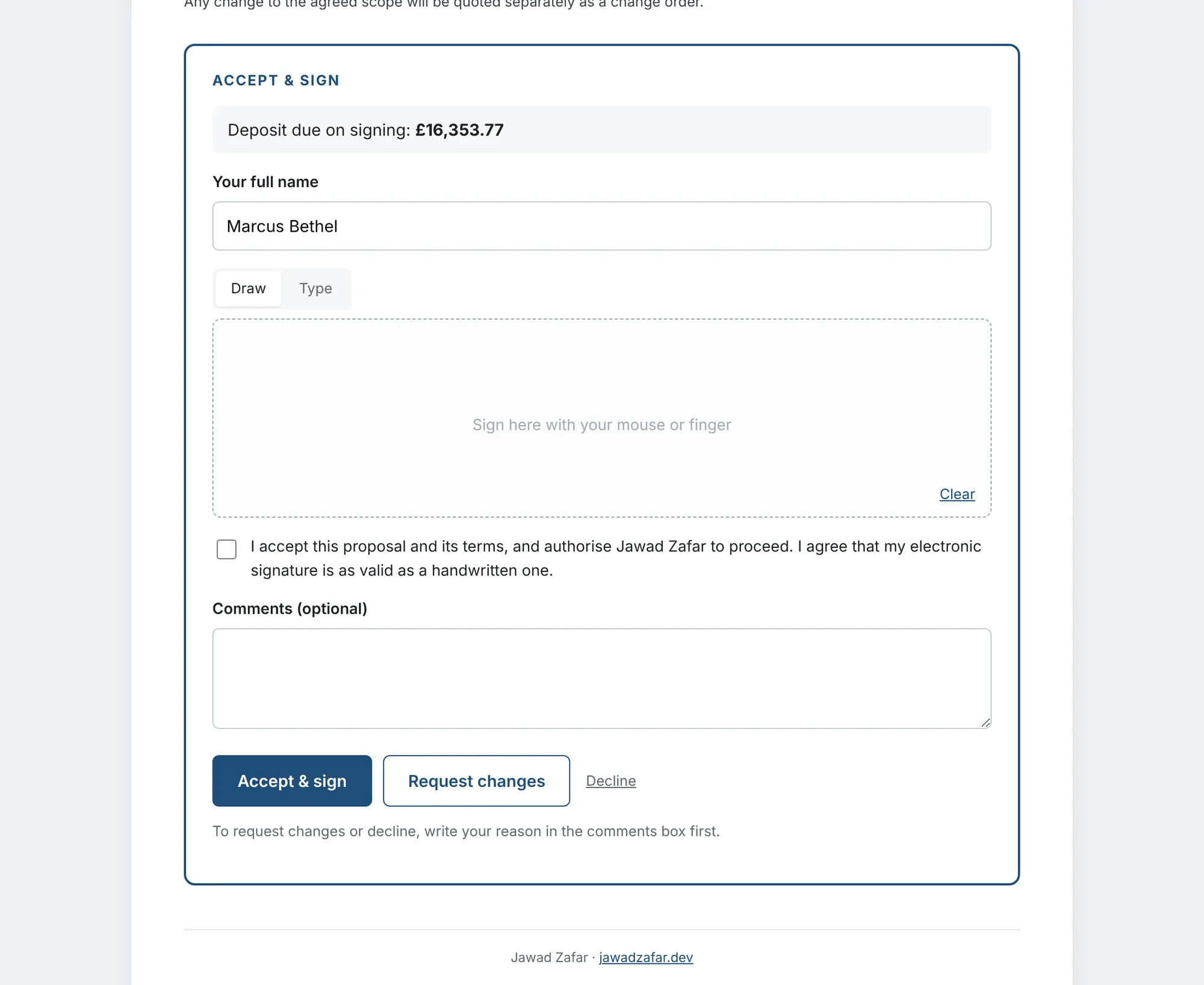
A finger or mouse signature, or a typed one. Name, date, time and IP address are recorded, and you are notified straight away.
Try it: Sign a proposal →The deposit comes in by card, and nothing slips through the cracks.
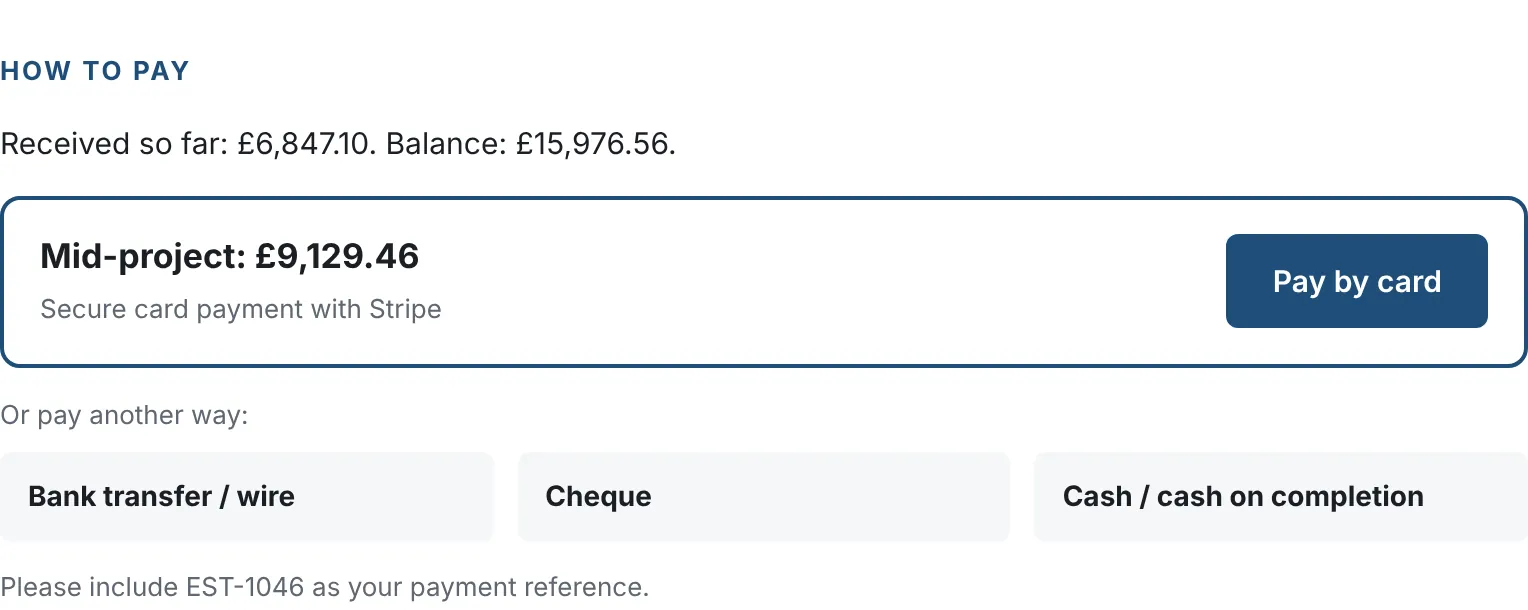
After signing, your client clicks Pay by card and pays on Stripe's secure page: the deposit first, then each payment stage. Bank, cheque and cash details are shown too.
Try it: Pay with a test card →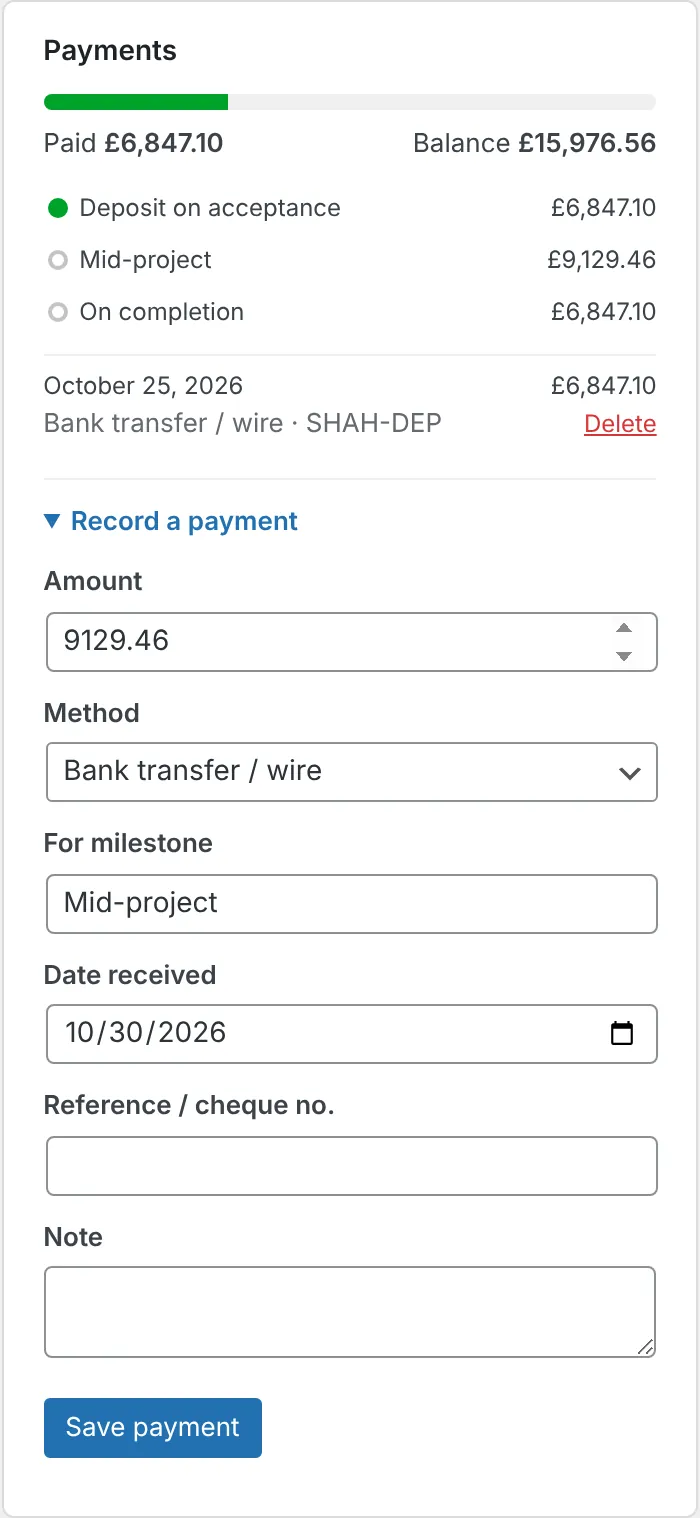
Card payments are recorded automatically. Add bank transfers and cheques by hand. See what is paid and due at each stage.
Try it: See the payments →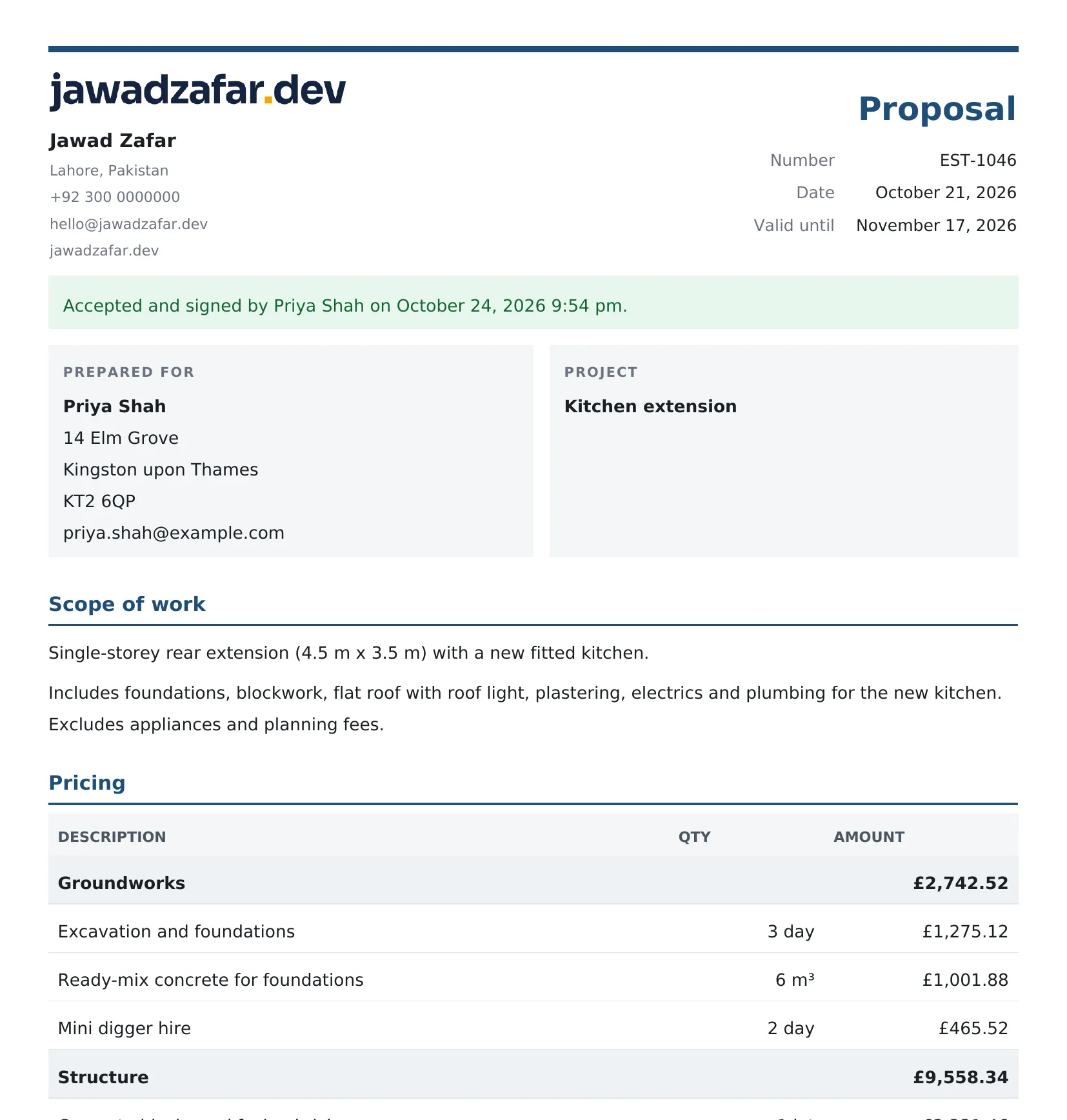
A tidy PDF is attached to the proposal email and to the signed copy. Clients and their accountants can file it.
Try it: Open the PDF →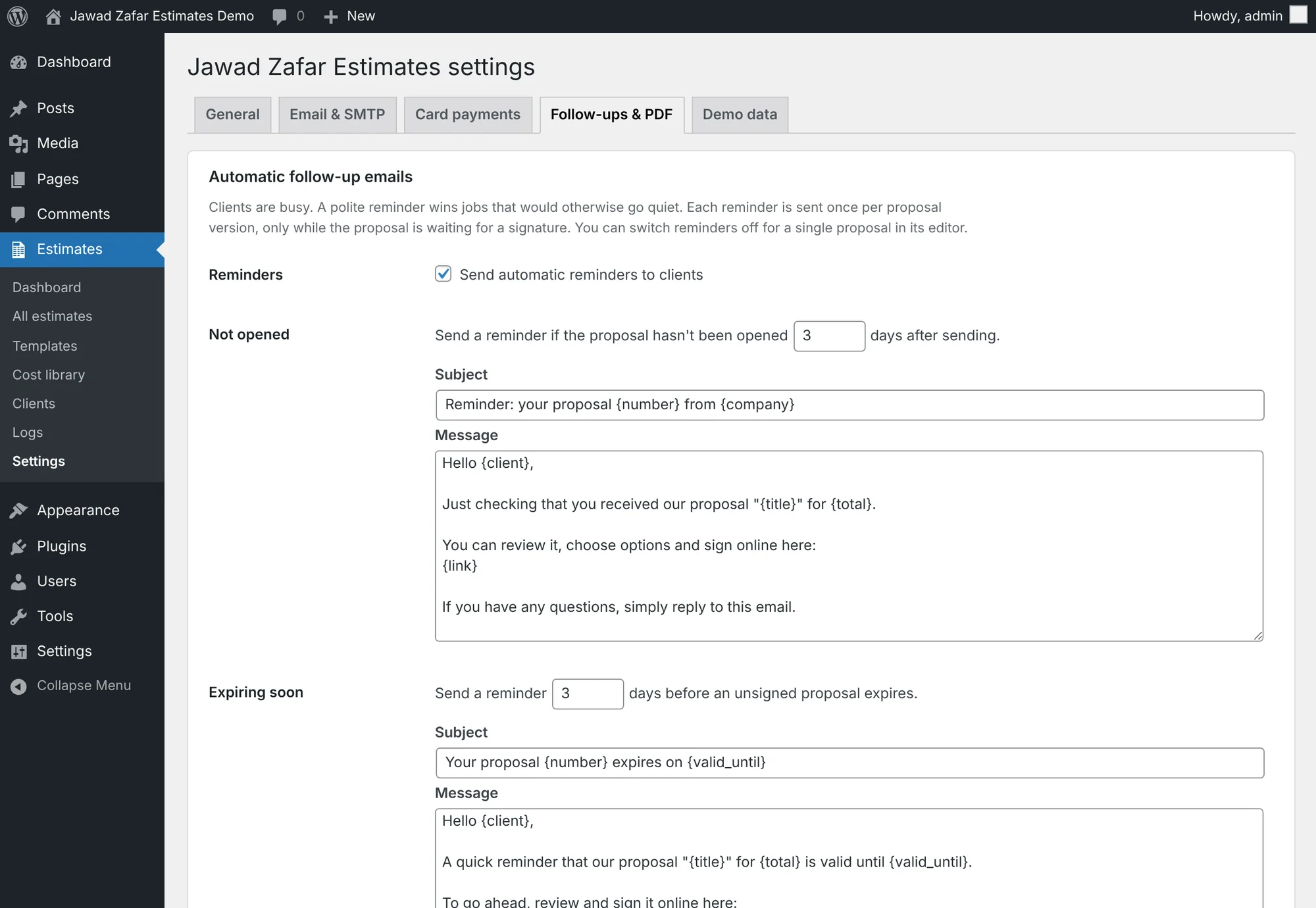
A polite reminder when a proposal isn't opened, and another before it expires. Once per version, and you can switch it off for any client.
Try it: See follow-ups →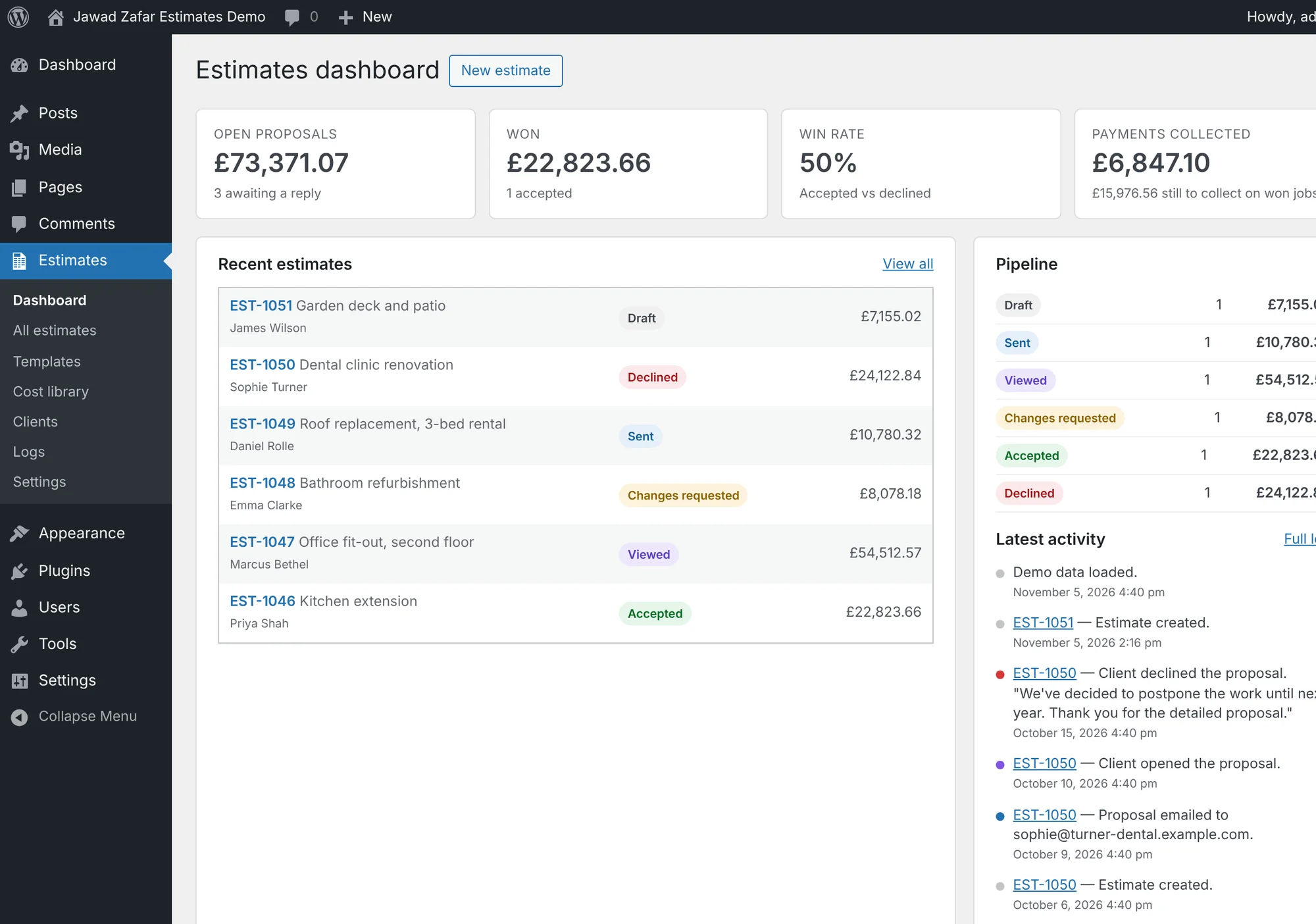
Open proposals, won value, win rate and payments collected, with every client action in the activity feed.
Try it: Open the dashboard →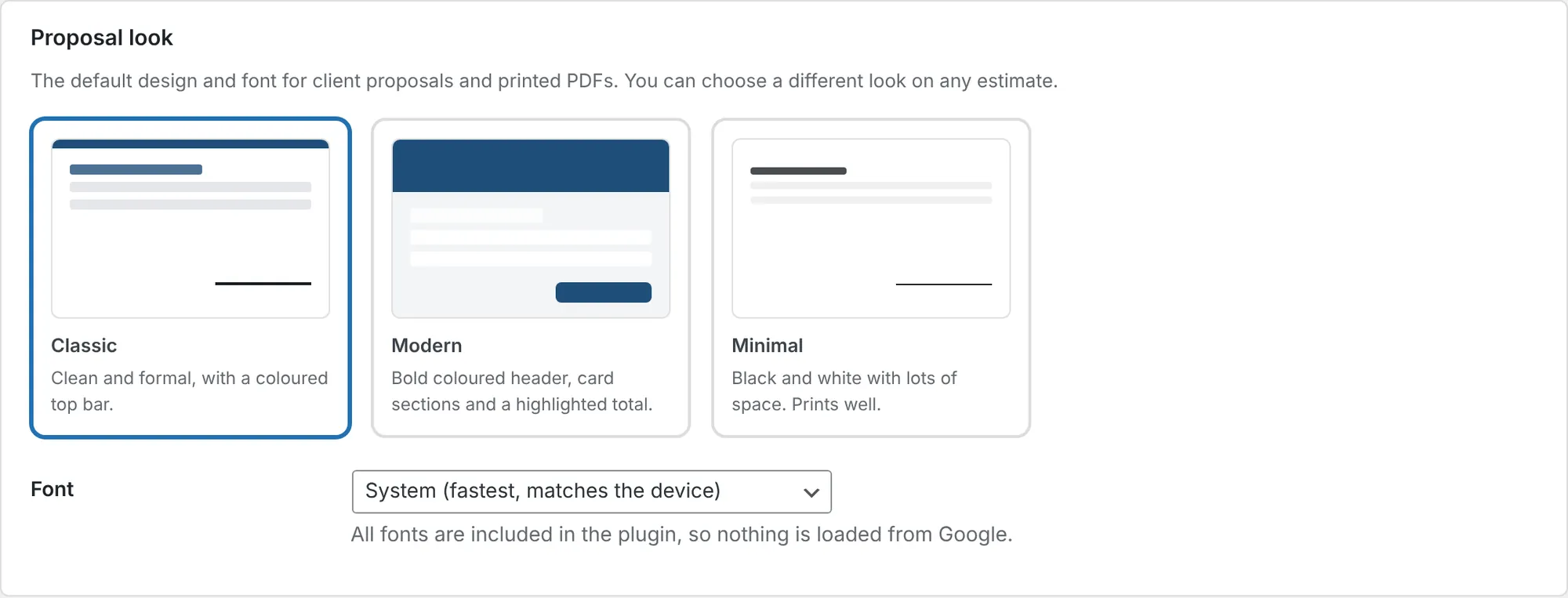
Your logo and colour on every proposal, with Classic, Modern and Minimal designs and five fonts.
Try it: Change the look →No. Click "Open the admin demo" and you are logged in straight away as a demo user. The demo resets every hour, so feel free to change anything.
No. Each proposal has a private link. Your client opens it on any phone or computer, ticks upgrades and signs. No login, no app.
No. The client page only receives selling prices. Your cost, markup, profit and margin stay inside WordPress.
Jawad Zafar Estimates Pro uses Stripe Checkout. Your client pays on Stripe's secure page and card details never touch your site. You need a free Stripe account; Stripe charges its usual fee per payment.
Yes. The setup wizard fills in currency, tax name and rate and units for 16 countries. Prices can include tax or have it added, and import duty and freight are supported for island and overseas jobs.
They click Request changes and write a comment. You edit the estimate and send it again: it becomes version 2, and earlier versions are kept in the history.
Jawad Zafar Estimates records the signer's name, signature, date, time and IP address, and the client agrees to your terms. Whether that is enough depends on the law where you work, so check with a local lawyer if unsure.
Yes. The client proposal page has its own clean design and works with any WordPress theme or page builder.
No. Jawad Zafar Estimates Pro is a one-off purchase on CodeCanyon. It runs on your own WordPress site, so your data stays on your server.
Yes. The free version on WordPress.org covers estimates, proposals, e-signature and payment tracking with no limits. Upgrading to Pro keeps all your data.
No username or password: one click and you're in the admin. It resets every hour, so change anything you like.