Quote it. Get it signed. Get paid.
Try Jawad Zafar Estimates Pro live, no sign-up. Be the contractor in the admin, then be the client on your phone: tick an upgrade, sign and pay the deposit with a test card.
On a phone? The admin works best on a computer. Try Be the client here, it's made for phones.
No username or password needed: one click logs you in. Nothing you do here is real and no emails are sent.
New here? See how Jawad Zafar Estimates works, step by step →
- 6 sample proposals at every stage
- 3 proposal designs, 5 fonts
- Stripe deposits in test mode
- PDF copy in one click
- 16 country presets for tax
How Jawad Zafar Estimates works: from estimate to deposit
One link takes your client from quote to signed job and deposit, without printing, scanning or chasing.
- 1 Build the estimate From your cost library, with markup and tax.
- 2 Send a private link By email. No app or login for your client.
- 3 Automatic reminders Pro If it isn't opened, and before it expires.
- 4 Opens it On any phone, tablet or computer.
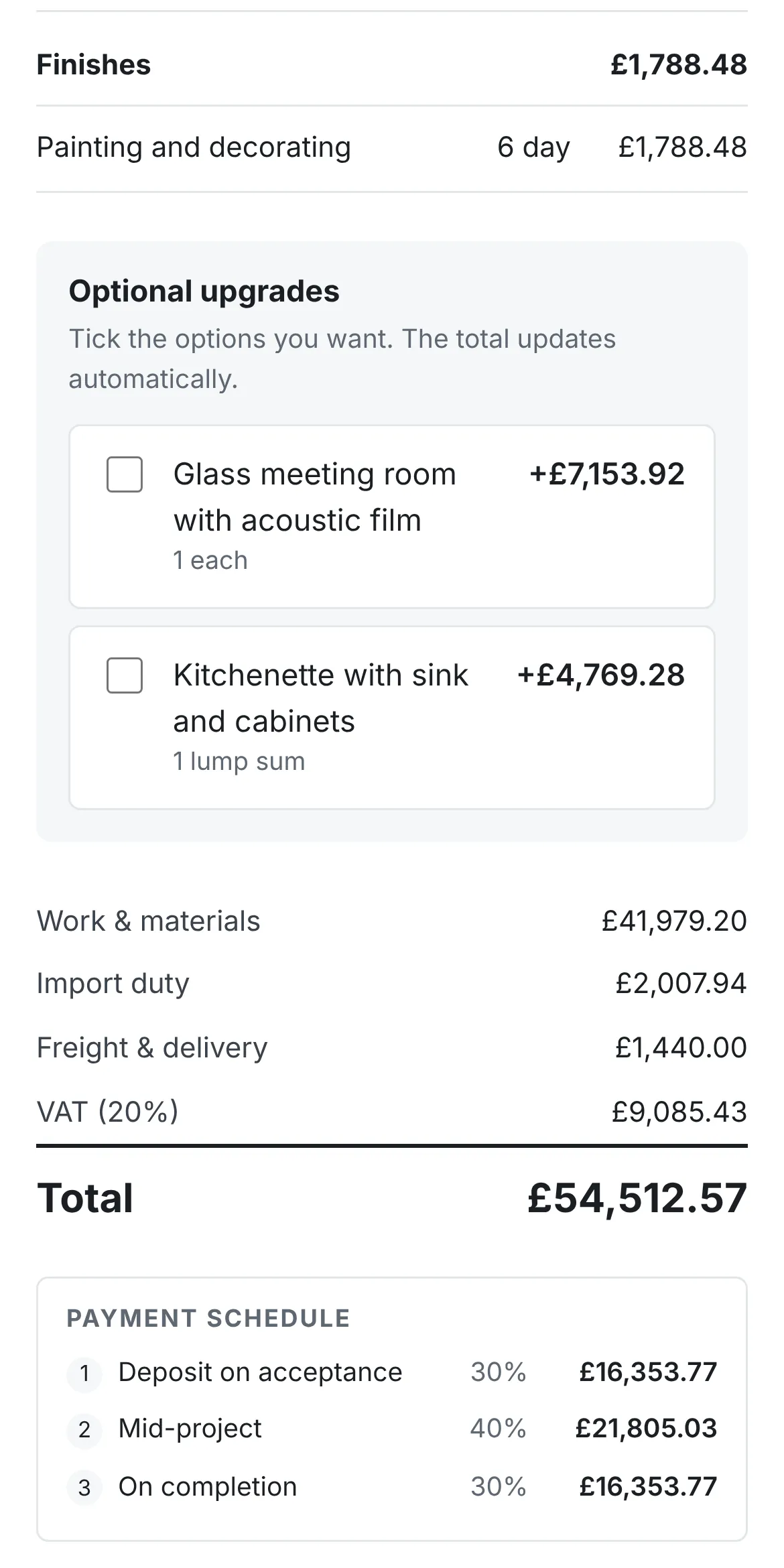
- 5 Picks upgrades The total updates as they tick.
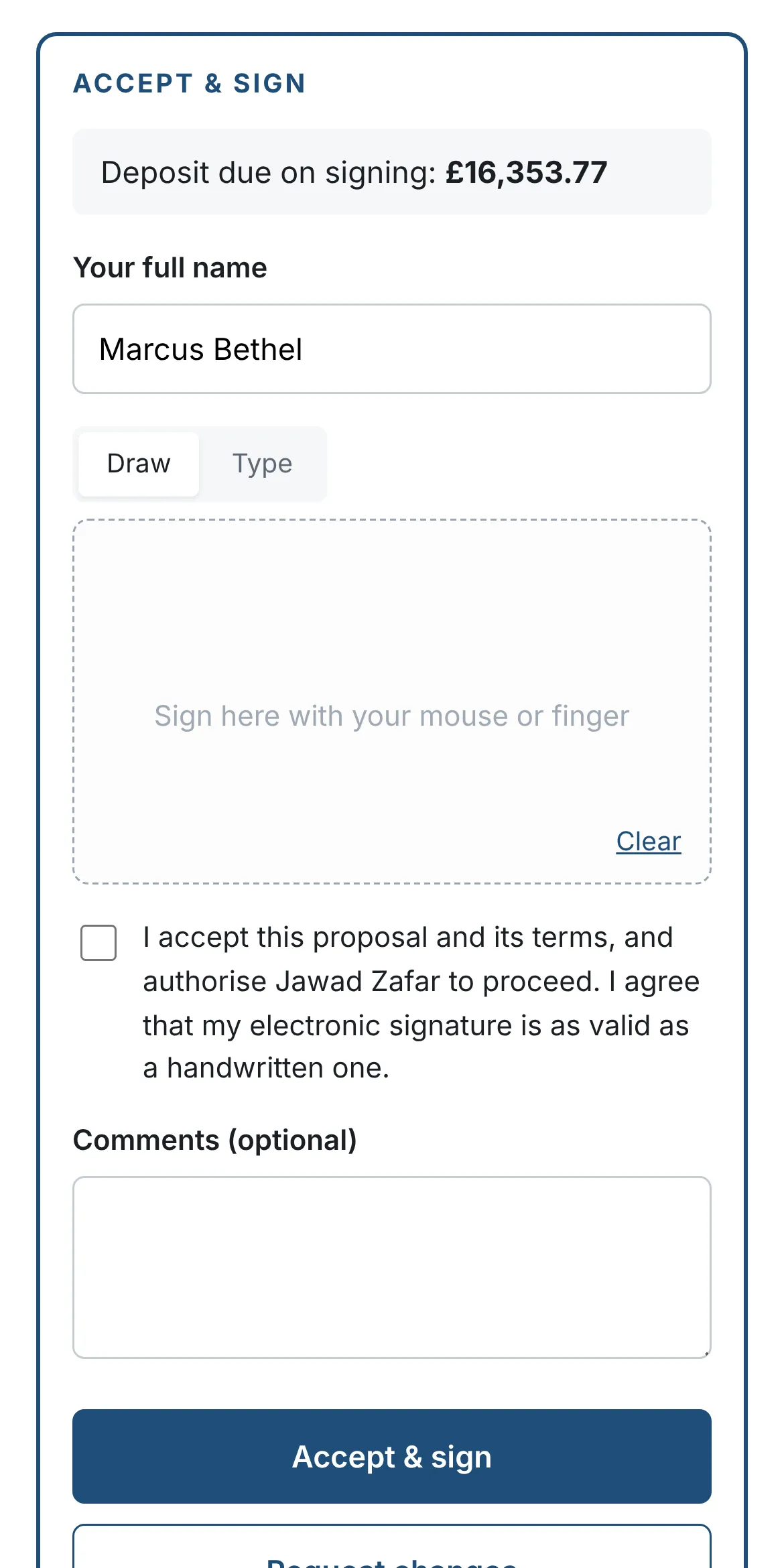
- 6 Signs online With a finger, mouse or typed name.
- 7 Pays the deposit Pro By card through Stripe.
8 things to try in 5 minutes
Each link opens the right screen directly. Admin links log you in with one click. Prefer to look first? See the screen-by-screen tour.
-
1
Admin
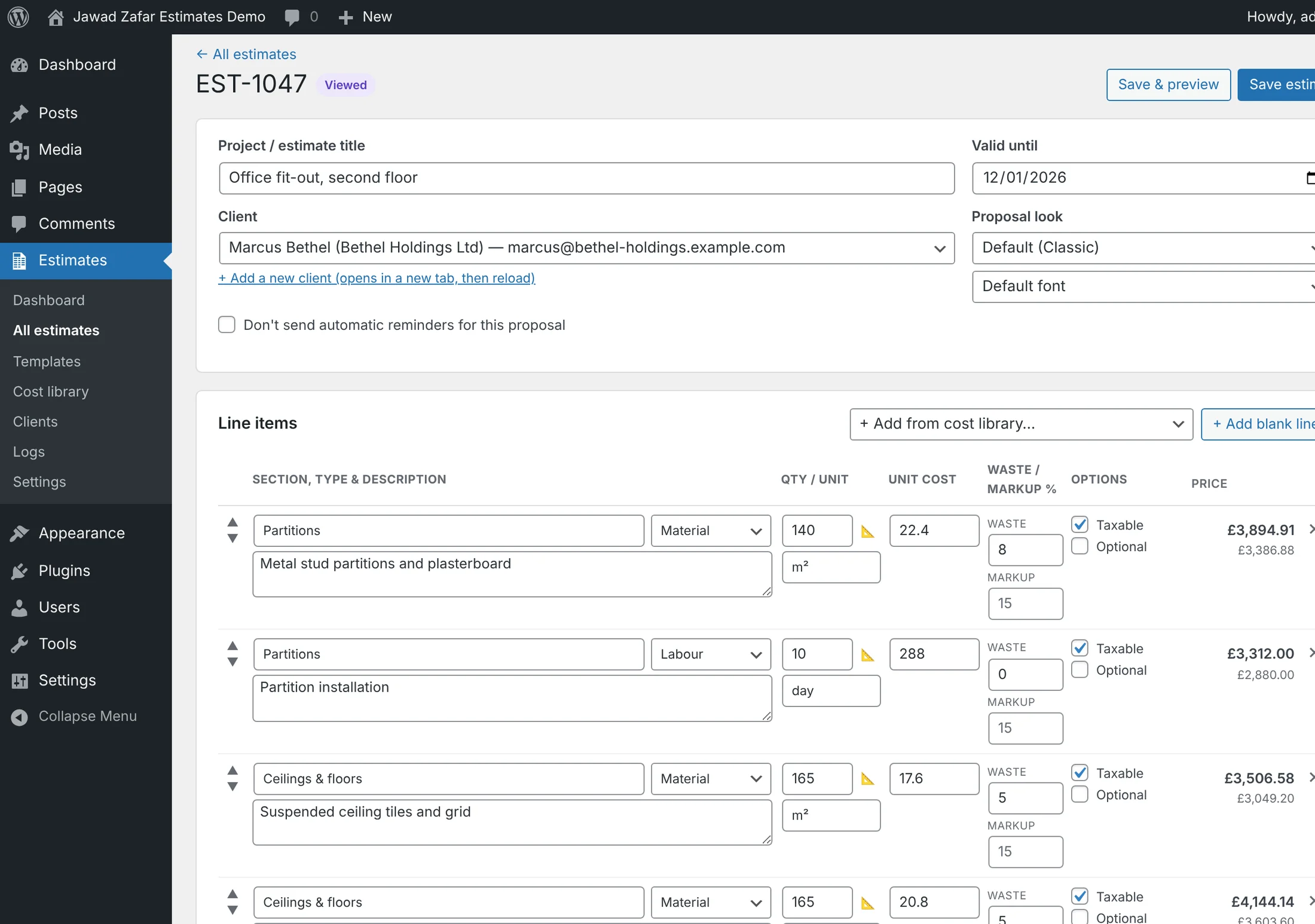
Change a price, watch the totals
Open an estimate, edit a quantity or markup and see tax, deposit and your margin update as you type.
Open an estimate → -
2
Client view
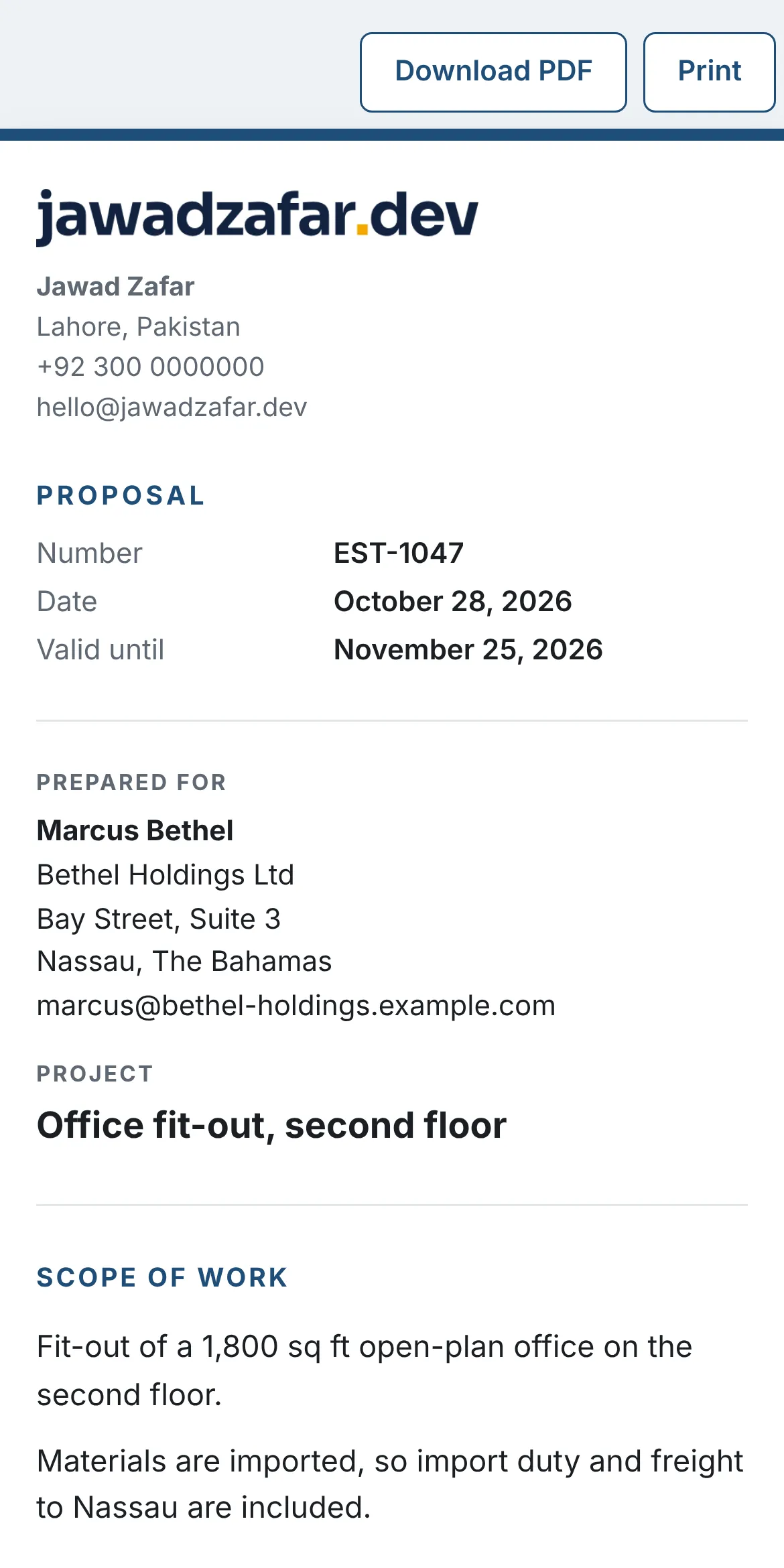
Open it as your client
This is the private link your client gets by email. No login, works on any phone.
View the proposal → -
3
Client view
Tick an upgrade and sign
Choose an optional extra, watch the total change, then sign with your finger or mouse.
Sign a proposal → -
4
Client view
Pay the deposit by card
On a signed proposal, click Pay by card and use Stripe's test card 4242 4242 4242 4242.
Pay a deposit → -
5
Client view
Download the PDF
The same PDF is attached to the proposal email and to the signed copy.
Open the PDF → -
6
Admin
Start a job from a template
Templates hold the lines, pricing, schedule, scope and photos of a job you quote often.
Use a template → -
7
Admin
Switch the proposal design
Pick Classic, Modern or Minimal and one of five fonts, then preview any proposal.
Change the look → -
8
Admin
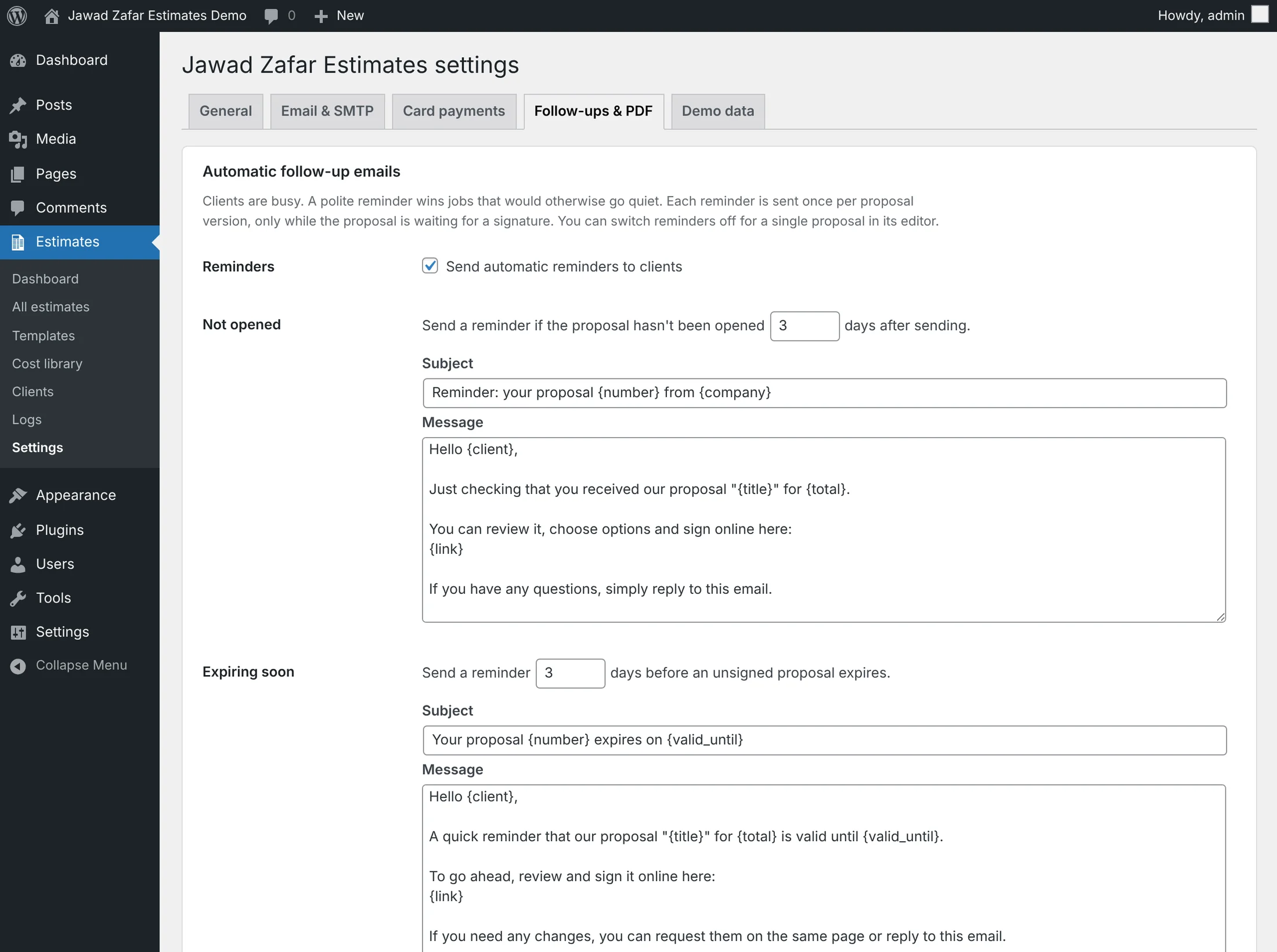
Set up follow-up reminders
Reminders go out when a proposal isn't opened, and before it expires.
See follow-ups →
Built for both sides of the deal
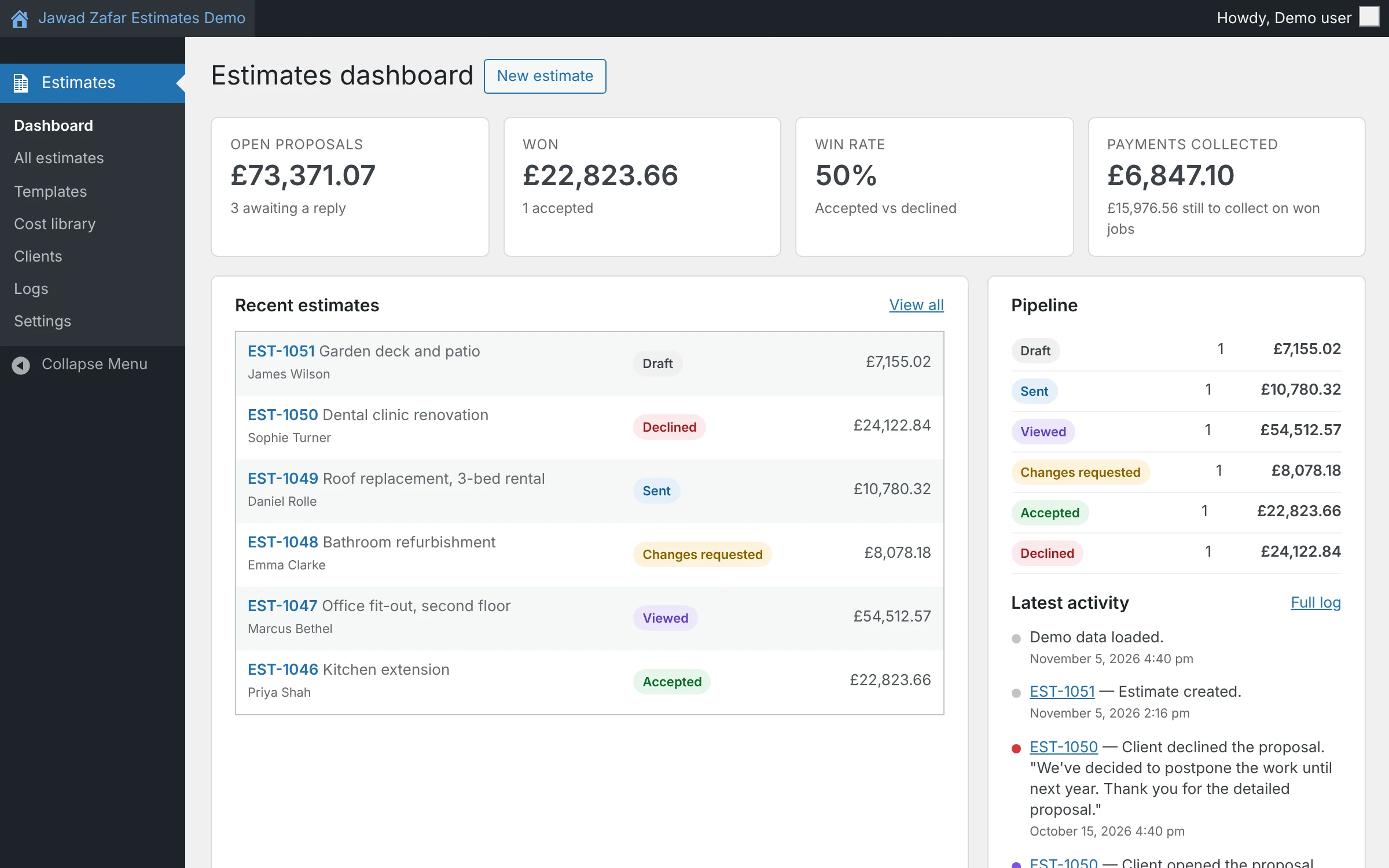
Everything you need to price the job, and everything your client needs to say yes.
Free or Pro
Start free from WordPress.org, upgrade when you want card payments and the time-savers. Your data carries over. Compare every feature →
Free
$0 on WordPress.org
Unlimited estimates and proposals, e-signature, deposits and payment schedules, branded emails, cost library, dashboard and clients.
Get the free versionPro
$499 one-time
Everything in Free, plus: card payments with Stripe, PDF copies, automatic follow-ups, estimate templates, photos and documents, 3 designs and 5 fonts.
Pay once. No monthly fees. Your data stays on your site.
Buy Jawad Zafar Estimates ProPro + Setup
$599 one-time
Pro, and I set it up for you: install, your logo and colours, country and tax, email delivery, Stripe card payments, your price list imported, and a first template from a real job.
Ask on WhatsAppQuestions before you buy? Chat with Jawad on WhatsApp
Questions
Is this demo the real plugin?
Yes. It is Jawad Zafar Estimates Pro running on a normal WordPress site, with sample data. The only differences: emails are not sent, uploads are off, and everything resets every hour.
Do my clients need an account?
No. They open a private link, tick upgrades, sign and pay. No login and no app.
Is there a monthly fee?
No. Jawad Zafar Estimates Pro is a one-off purchase. It runs on your own WordPress site, so your proposals and client data stay on your server.
Does it work in my country?
The setup wizard has presets for 16 countries (currency, VAT/GST/sales tax, units), and you can set up any other country by hand.
Can you set it up for me?
Yes. With Pro + Setup I install Jawad Zafar Estimates on your site and set up your logo, tax, email delivery, Stripe and price list. Message me on WhatsApp to get started.
Can I start free?
Yes. The free version covers estimates, proposals, e-signature and payment tracking with no limits. Upgrading to Pro keeps all your data.
Send your next quote with Jawad Zafar Estimates
Install it on your own WordPress site in minutes. One-off price, no monthly fees, your data stays on your server.